
Netgear EX7320 WiFi Range Extender: The Ultimate Guide to Setup, Features & Performance
Posted by WifiExtSetup on 26th July 2025
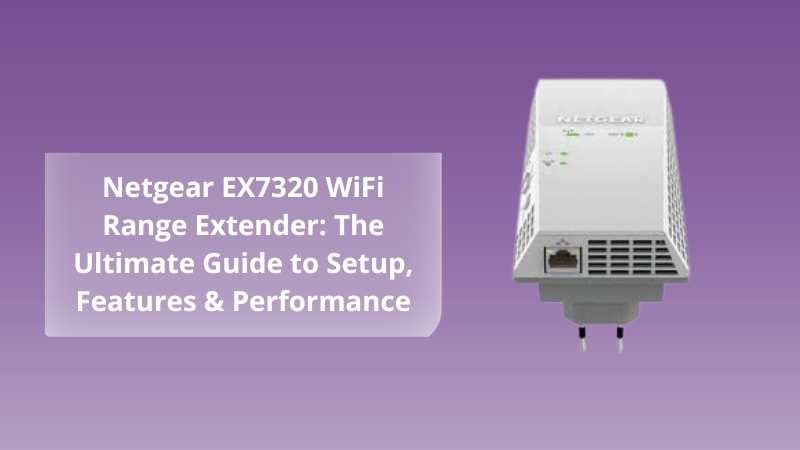
In today’s connected world, a strong and reliable internet connection is more important than ever. Whether you’re working from home, streaming your favorite shows, gaming online, or using smart home devices, having WiFi dead zones can seriously impact your experience. That’s where the Netgear EX7320 WiFi Range Extender steps in—designed to eliminate poor signals and enhance wireless coverage.
In this blog, we’ll cover everything you need to know about the Netgear EX7320: from its features and benefits to a complete step-by-step setup guide, tips for optimizing performance, and answers to common user questions.
What Is the Netgear EX7320 Range Extender?
The Netgear EX7320 is a dual-band AC2200 WiFi range extender that significantly boosts your existing WiFi network. It’s perfect for large homes or buildings where the router’s signal doesn’t reach every corner. With FastLane™ Technology and Smart Roaming capabilities, the EX7320 ensures your devices always stay connected to the fastest WiFi signal.
Key Features:
-
AC2200 Dual Band Speed: Up to 2.2Gbps combined speed for high-performance streaming and gaming.
-
Smart Roaming: Automatically connects your mobile devices to the best available signal.
-
FastLane™ Technology: Combines both WiFi bands to create one super-fast connection for heavy-duty streaming and gaming.
-
Universal Compatibility: Works with any standard WiFi router or modem router.
-
One Gigabit Ethernet Port: Offers a high-speed wired connection to smart TVs or gaming consoles.
Why You Might Need a WiFi Range Extender Like EX7320
If you’ve ever had a poor signal in certain parts of your home—especially upstairs, in the basement, or in a backyard workspace—then a range extender is exactly what you need. The EX7320 helps bridge the gap between your router and the devices far away from it.
Common Scenarios:
-
Large homes or offices with many walls and floors
-
Smart home devices (like cameras and thermostats) disconnecting often
-
Buffering issues while streaming on 4K TVs
-
Weak WiFi in garages, balconies, or gardens
How to Set Up Netgear EX7320: Easy Step-by-Step Guide
Setting up your Netgear EX7320 is quick and simple. You can do it via WPS or a web browser setup.
Option 1: WPS Setup (Recommended for Beginners)
-
Plug in the extender into a power socket near your router.
-
Wait for the Power LED to become solid green.
-
Press the WPS button on your EX7320.
-
Within two minutes, press the WPS button on your router.
-
When the Connection LED turns green, the setup is successful.
-
Move the extender to a location between the router and your WiFi dead zone.
-
Re-plug and wait for the signal to connect.
Option 2: Web Browser Setup
-
Plug in the EX7320 and connect your device to the NETGEAR_EXT network.
-
Open a browser and visit http://mywifiext.net.
-
Follow the on-screen instructions to connect your extender to your existing WiFi.
-
Assign the extended network a name (SSID) and password.
-
Move the extender to a new location for optimal coverage.
Tips for Optimal Performance
Once your EX7320 is up and running, follow these tips to get the best out of it:
-
Mid-Point Placement: Keep the extender halfway between your router and the area with weak signal.
-
Avoid Interference: Don’t place it near microwaves, cordless phones, or Bluetooth speakers.
-
Use the Gigabit Port: For devices like gaming consoles or smart TVs, use a wired Ethernet connection.
-
Firmware Updates: Visit the Netgear website regularly to check for firmware upgrades.
Benefits of Using Netgear EX7320
1. Expanded Coverage:
Say goodbye to WiFi dead zones. The EX7320 extends your network to hard-to-reach places.
2. High-Speed Internet:
With AC2200 speeds, stream and game without lag or buffering.
3. Smart Roaming:
You won’t need to switch between networks manually—your devices automatically stay connected to the strongest signal.
4. Seamless Connectivity for Smart Homes:
Perfect for homes with smart devices like Alexa, Nest thermostats, and security cameras that require strong, stable WiFi.
Troubleshooting Tips for Netgear EX7320
If you run into issues during or after setup, here are a few quick fixes:
Problem: Can’t access mywifiext.net
-
Make sure you’re connected to the NETGEAR_EXT WiFi network.
-
Try using http://192.168.1.250 instead.
-
Clear your browser’s cache or try using a different browser.
Problem: No Internet After Setup
-
Double-check that your extender is within range of your main router.
-
Ensure your router is broadcasting on both 2.4GHz and 5GHz bands.
Problem: Slow Speed on Extended Network
-
Enable FastLane™ mode through the setup portal.
-
Use a unique SSID for the extender to avoid automatic switching delays.
Final Thoughts
The Netgear EX7320 WiFi Range Extender is a powerful and user-friendly solution for improving your home or office WiFi network. Whether you’re tired of dropped Zoom calls or lagging games, this extender delivers reliable performance across your space.
Easy to set up and packed with smart features, it’s one of the best investments for boosting internet speed and coverage. Don’t let dead zones slow you down—upgrade your WiFi experience with the EX7320.
Need help setting up your Netgear EX7320?
📞 Visit us at https://www.wifi-extsetup.com for personalized setup guides, video tutorials, and expert support.
Frequently Asked Questions (FAQs)
Q1: Can I use Netgear EX7320 with any router?
Yes, the EX7320 is compatible with all WiFi routers, modems, or gateways.
Q2: How many devices can it handle?
The extender can support up to 30+ devices, depending on bandwidth usage.
Q3: Does the EX7320 create a new network?
You can choose to keep the same SSID or create a different one during setup.
Q4: Is it suitable for gaming or 4K streaming?
Absolutely. Its FastLane™ mode and gigabit port make it ideal for high-bandwidth activities.
Q5: Where can I get setup help?
Visit our step-by-step support page at wifi-extsetup.com for expert assistance.