
Eliminate WiFi Dead Zones: The Complete Setup Guide for Range Extender EX6150
Posted by WifiExtSetup on 16th July 2025
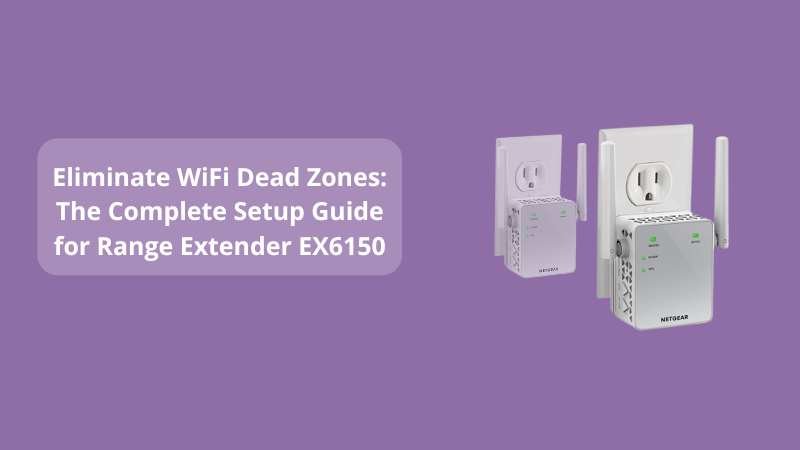
Have you ever walked into a room only to see your WiFi signal disappear? Or tried to stream a movie that kept buffering every 10 seconds? In a world where a fast and stable connection is essential, poor signal strength can be more than just frustrating—it can be disruptive.
That’s where the Range Extender EX6150 comes into play. This powerhouse device is designed to eliminate dead zones, boost your existing router’s coverage, and deliver consistent, high-speed internet throughout your home or office. But how do you set it up for peak performance?
Let’s walk you through the steps and strategies to ensure your EX6150 delivers the smooth, uninterrupted internet experience you’ve been looking for.
What Makes the Netgear EX6150 So Effective?
The Netgear EX6150 AC1200 WiFi Range Extender offers:
-
Dual-band WiFi (2.4GHz & 5GHz) up to 1200Mbps
-
FastLane™ Technology for high-speed data streaming
-
A Gigabit Ethernet port for wired connections
-
Compatibility with any router or ISP gateway
In simple terms, this extender bridges the gap between your router and hard-to-reach areas, ensuring strong signal coverage everywhere, from basements to backyards.
“It’s like installing a virtual internet tower in your hallway—only without the construction work.”
Step-by-Step: How to Set Up the EX6150
1. Initial Placement and Power-Up
Start by plugging the EX6150 into a wall outlet halfway between your router and the WiFi dead zone. Wait for the Power LED to turn solid green. This means the device is ready to be configured.
2. Using WPS for Easy Setup (Preferred)
If your router supports WPS (WiFi Protected Setup):
-
Press the WPS button on your router.
-
Within 2 minutes, press the WPS button on your EX6150.
-
The Link LED should light up, indicating a successful connection.
TIP: For dual-band connection, repeat the WPS process to connect both 2.4GHz and 5GHz bands.
3. Manual Setup via Web Browser
Don’t have WPS? No worries.
-
Connect your device to the extender’s WiFi (Netgear_EXT).
-
Open a browser and go to mywifiext.net.
-
Follow the setup wizard: select your existing WiFi network, enter the password, and name your extended network.
-
You’re all set!
Optimize the EX6150 for Best Performance
Find the Sweet Spot
Avoid placing the extender near microwaves, metal surfaces, or thick walls. Use the Netgear WiFi Analyzer App to find the ideal location.
Use FastLane™ for Speed Boost
Enable FastLane™ in the settings via mywifiext.net. This feature dedicates one band for communication with the router and the other for connecting to devices—great for streaming or gaming.
Keep Firmware Updated
Visit the extender dashboard to check for firmware updates. New versions improve performance, security, and bug fixes.
Troubleshooting Tips for Common Issues
Can’t access mywifiext.net?
-
Make sure you’re connected to the extender’s network.
-
Use an Ethernet cable for a direct connection.
-
Try entering 192.168.1.250 in your browser.
Slow Speeds Even After Setup?
-
Ensure you’re using the 5GHz band for bandwidth-intensive tasks.
-
Reposition the extender for a better signal.
-
Reduce interference by turning off other devices using the same frequency.
LED Lights Meaning
-
Green: Strong connection
-
Amber: Medium connection
-
Red: Weak signal — move the extender closer to the router
Why Choose the EX6150 Over Others?
-
Simple Setup: Even non-tech users can have it running in minutes.
-
Universal Compatibility: Works with any WiFi router or modem.
-
Affordable Solution: No need to upgrade your router—extend it instead.
“WiFi should work like electricity—always on, always reliable. The EX6150 makes that possible.”
Want to explore advanced models or alternatives?
👉 Check our blog: Boost Your WiFi Coverage with the Powerful Range Extender EX7000
Final Thoughts: Should You Buy the EX6150?
If you’re tired of dropped connections and slow Wi-Fi in certain areas of your home, the Range Extender EX6150 is one of the smartest, most cost-effective solutions available. With its robust features, ease of setup, and solid performance, it delivers the coverage you need, without the tech headache.
Whether you’re working remotely, gaming online, or just want to enjoy YouTube in the backyard without interruption, this extender has your back.
“Don’t let walls get in the way of your connection. Break the barriers with the EX6150.”
FAQs About Range Extender EX6150
Q1. Can I use the EX6150 with any router?
Yes, it’s compatible with all routers, gateways, and ISPs.
Q2. Do I need an app for setup?
No app is required. Setup can be done through a browser or WPS.
Q3. How far can it extend my WiFi?
Coverage may vary, but it typically extends your signal up to 1200 sq. ft.
Q4. Is it suitable for smart TVs and gaming consoles?
Yes! Use the Gigabit Ethernet port for stable, lag-free connections.
Q5. Can I move it after setup?
Yes. Just plug it into a new outlet and ensure the LED indicates a strong signal.