
Boost Your Connectivity: The Ultimate Setup Guide for Range Extender EX2800
Posted by WifiExtSetup on 01th July 2025
Introduction: Is Your WiFi Holding You Back?
In today’s hyper-connected world, buffering videos, slow downloads, or dead zones in your home are no longer just annoying—they’re unacceptable. If you’ve invested in the Range Extender EX2800, you’re already a step closer to eliminating WiFi headaches. But here’s the question: Are you using it to its full potential?
Whether you’re setting it up for the first time or trying to optimize your network, this guide is your go-to resource. From a quick and easy setup to performance-boosting tweaks, we’ve got you covered. Let’s turn your “okay” WiFi into awesome WiFi.
What is the Range Extender EX2800, and Why Should You Use It?
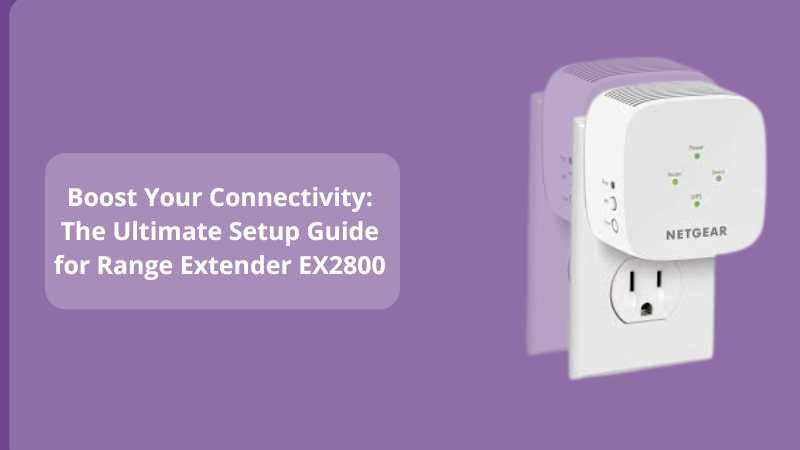
The Netgear Range Extender EX2800 is a dual-band WiFi booster that helps expand your existing network, especially in areas your router can’t reach.
Think of your home network like a flashlight. The router is the bulb, shining light (WiFi) around—but only so far. The EX2800 acts like a mirror, reflecting that light into the shadows (dead zones). And guess what? It supports speeds up to 750Mbps, so it’s not just stretching the signal—it’s maintaining speed and performance too.
“Good WiFi is not a luxury—it’s a necessity.”
Key Features:
-
Dual-Band Support (2.4GHz & 5GHz)
-
Speeds up to 750 Mbps
-
Universal compatibility with any router
-
Plug-and-play compact design
-
WPS setup for quick connection
Step-by-Step Setup for EX2800: Make It Work in Minutes
Setting up the EX2800 isn’t rocket science, and you don’t need to be tech-savvy to get it up and running. Here’s how to do it, the right way:
Step 1: Find the Right Location
Place the EX2800 halfway between your router and the area with a weak signal. Avoid thick walls or metal appliances.
Step 2: Plug It In
Plug the extender into a wall socket and wait for the Power LED to turn solid green.
Step 3: Connect via WPS (Fastest Method)
-
Press the WPS button on your router.
-
Within 2 minutes, press the WPS button on your EX2800.
-
The Router Link LED should turn solid green.
If WPS doesn’t work or your router doesn’t support it, try the web browser method below.
Step 4: Connect via Web Browser (Alternate Method)
-
Connect to the NETGEAR_EXT WiFi network.
-
Open a browser and go to www.mywifiext.net.
-
Follow the setup wizard to connect the extender to your home WiFi.
Congratulations! You’ve just extended your WiFi’s reach.
Pro Tips to Optimize the Performance of EX2800
Installing is just the beginning—optimization is where the magic happens. Here’s how to squeeze every drop of performance from your EX2800:
1. Use Both Bands Smartly
-
Use 2.4GHz for long-range but lower speed.
-
Use 5GHz for shorter-range but higher speed.
2. Reboot Periodically
Just like any gadget, give your extender a quick reboot weekly for optimal performance.
3. Firmware Updates Matter
Visit Netgear’s website and keep your firmware updated. It ensures security patches, bug fixes, and speed improvements.
4. Avoid Signal Interference
Microwaves, cordless phones, and Bluetooth devices can interfere with your signal. Keep your extender clear of them.
“Optimizing WiFi is like tuning a guitar. It works, but fine-tuning makes it perfect.”
Troubleshooting Common EX2800 Issues
Even the best devices can hit a snag. Here’s how to fix the most common problems with the EX2800.
1. Can’t Access Mywifiext.net?
-
Use the correct network: NETGEAR_EXT.
-
Clear browser cache or switch browsers.
2. WPS Fails to Connect
-
Try manual setup via browser.
-
Make sure your router supports WPS.
3. Slow Internet After Setup
-
Reposition your extender.
-
Reduce the number of connected devices.
-
Restart your main router and extender.
Still stuck? Here’s a deeper optimization blog for another model, but the tips apply across devices:
👉 Supercharge Your WiFi: The Ultimate Setup & Optimization Guide for Range Extender WN3100RP
Why Choose the EX2800 Over Others?
While many extenders promise performance, the EX2800 delivers simplicity and power in one compact package. It’s ideal for:
-
Apartments and small homes
-
Streaming-heavy users
-
Budget-conscious buyers who don’t want to compromise on performance
Sales Pitch Time:
If you’re tired of signal drops and want a reliable, budget-friendly fix, the EX2800 is your best bet. And if you’re looking for personalized setup help, our WiFi Ext Setup experts are just a click away.
Conclusion: Still Suffering from Weak WiFi? Not Anymore.
So we started with a question—is your WiFi holding you back? Hopefully, by now, you have your answer. With the EX2800 properly set up and optimized, you can say goodbye to frustration and hello to streaming, gaming, working, and browsing without limits.
And remember: strong WiFi equals strong productivity—and peace of mind.
Need Help?
Still facing issues? Visit https://www.wifi-extsetup.com for more setup guides, live support, and expert tips!
Frequently Asked Questions (FAQs)
Q1: Can I use EX2800 with any router?
Yes, the EX2800 works with all standard WiFi routers, modems, and gateway devices.
Q2: What is the range of the EX2800?
It can extend your WiFi coverage by up to 1200 sq. ft., depending on your home layout and obstacles.
Q3: How many devices can it handle?
It supports connection of up to 20 devices, including laptops, smartphones, tablets, smart TVs, etc.
Q4: Can I move the extender after setup?
Yes, but it should stay within range of your router. Use the router link LED as a guide.
Q5: Is the EX2800 good for gaming?
Especially when connected to the 5GHz band. Low-latency performance is great for casual and online gaming.