
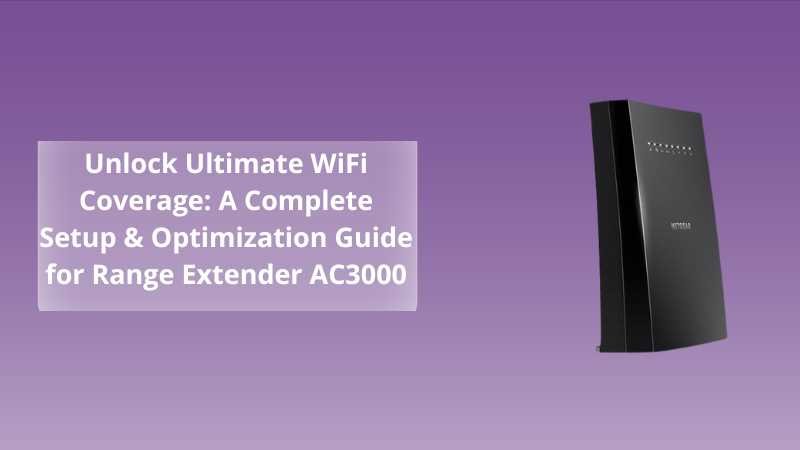
Unlock Ultimate WiFi Coverage: A Complete Setup & Optimization Guide for Range Extender AC3000
Posted by WifiExtSetup on 27th June 2025
Introduction: Frustrated by Dead Zones? Here’s the Fix
Have you ever felt the sting of streaming stalled mid‑movie, or endured that awkward silence during a video call because your WiFi dropped? Is your internet speed great in one corner and unusable in another? If that sounds familiar, you’re stuck in the battle against WiFi dead zones. The answer? The Range Extender AC3000—a powerful tri‑band device designed to patch up weak spots and deliver strong, stable connectivity everywhere.
But owning a high‑end extender isn’t enough. You need the right setup and smart optimization. This guide will walk you through:
-
Why AC3000 stands out
-
Step‑by‑step setup
-
Placement & performance tricks
-
Troubleshooting
-
FAQs to clear your doubts
Let’s blast away those dead zones for good!
Why the AC3000 Deserves a Spot in Your Home
Tri‑Band Technology: Triple the Power
This isn’t your average extender. The AC3000 offers:
-
One 2.4 GHz band for range
-
Two 5 GHz bands—one for communication with the router, the other for your devices
That means less congestion and more dedicated bandwidth for demanding tasks like gaming or 4K streaming.
Dedicated Backhaul = Speed You Can Trust
One 5 GHz band acts as a backhaul, which means traffic between the router and extender stays clear of the network your devices use. The result? Faster and more reliable speeds.
MU‑MIMO for Multiple Devices
Have a household full of phones, laptops, and smart gadgets? This tech lets the extender communicate with multiple devices simultaneously—no more waiting in line.
Beamforming+ for Targeted Coverage
It intelligently focuses the signal toward your devices, boosting range and consistency.
How to Set It Up: Step-By-Step Guide
1. Prep & Placement
-
Choose a Location: Midway between your router and the weak signal zone.
-
Power it Up: Plug in and wait until the power LED stabilizes.
2. Connect to AC3000
-
On your PC or phone, join the default WiFi, likely named
NETGEAR_EXT.
3. Setup in Browser
-
Go to
http://mywifiext.net(or192.168.1.250). -
Follow the guided wizard:
-
Select your main WiFi SSID and enter the password
-
Choose whether to mirror the name or customize your extender’s SSID
-
Finish the setup and reconnect
-
4. Test Placement
-
Use the signal strength LED:
-
Green = excellent
-
Amber = fair
-
Red = too far
-
-
Reposition as needed until it glows green
Pro Tips to Optimize Your AC3000
Positioning Matters
Think of it as a WiFi mirror—the better the original signal, the better the reflection. Keep it in open air, away from thick walls or electronics like microwaves.
Enable Dedicated Backhaul
Check your extender settings for a “Use dedicated backhaul” option—activating it ensures better performance when using a tri‑band router.
Firmware = Performance
New firmware means improved speeds and security. Check every month via mywifiext.net and install updates promptly.
SSID Strategy
For the smoothest roaming, use the same SSID/password as your router. If you prefer control, choose a distinct name and manually switch networks when needed.
Device Prioritization
If gaming or streaming is a priority, look in the settings for QoS or prioritization options. It can ensure your chosen devices get bandwidth preference.
Troubleshooting Your AC3000
Slow Speeds?
-
Reposition the extender
-
Check for firmware updates
-
Reboot both the extender and the router
Setup Page Not Loading?
-
Confirm connection to the extender’s WiFi
-
Clear your browser’s cache
-
Try a different browser or device
Connection Drops?
-
Avoid placing near microwaves or cordless phones
-
Use the amber/green LED as a placement guide
-
If issues persist, reset and start fresh
Who Needs the AC3000—And Who Doesn’t
The AC3000 is a powerful and versatile extender—ideal for:
-
Medium to large homes
-
Homes with many devices
-
Power users who game, stream, or work remotely
But if your space is small or your needs are light (e.g., email and simple browsing), you might be fine with a budget-friendly dual-band extender.
Conclusion: Is the AC3000 Worth It? Absolutely
Let’s revisit the questions we asked at the start:
-
Are you tired of buffer bars showing up unannounced?
-
Do your calls drop just when they matter most?
-
Do you have multiple users/devices demanding bandwidth?
If yes, this extender is more than a luxury: it’s essential. The AC3000 isn’t just best-in-class—it’s the complete solution to broken signals and slow connections. Set it up right, optimize it smart, and enjoy blazing WiFi coverage in every corner.
“A weak WiFi zone isn’t just a glitch—it’s a gap in your digital lifestyle.”
For more help, check our extended guide:
👉 Supercharge Your Signal: A Complete Setup & Optimization Guide for Range Extender WN2500RP
Frequently Asked Questions (FAQ)
Q1. Will AC3000 work with any router?
Yes—just make sure it’s at least an AC class; tri‑band routers yield the best performance.
Q2. How far can it boost my signal?
Coverage depends on obstacles, but typically 1,500–2,500 sq ft is well within its reach.
Q3. Should I use the same WiFi name?
If you crave seamless roaming, yes. Otherwise, customize it.
Q4. How many devices can it handle?
With MU‑MIMO, it can support dozens, but heavy users like gaming consoles and TVs benefit most.
Q5. How often should I update firmware?
Check monthly for security and performance upgrades.