
Revamp Your Connectivity: How to Set Up & Optimize the Range Extender WN3500RP
Posted by WifiExtSetup on 10th June 2025
Ever walked into a room where your WiFi mysteriously disappears? Or struggled with endless buffering during your favorite Netflix show in the bedroom? If yes, you’re not alone. Many households face frustrating “dead zones” in their WiFi coverage. So the real question is, how do you fix this?
The answer may lie in a small but powerful device: the Range Extender WN3500RP.
But what exactly is it? How does it help? And more importantly, how do you set it up without wanting to throw it against the wall? This guide unpacks everything you need to know to turn your weak signal into WiFi that works flawlessly.
What Is the Netgear Range Extender WN3500RP?
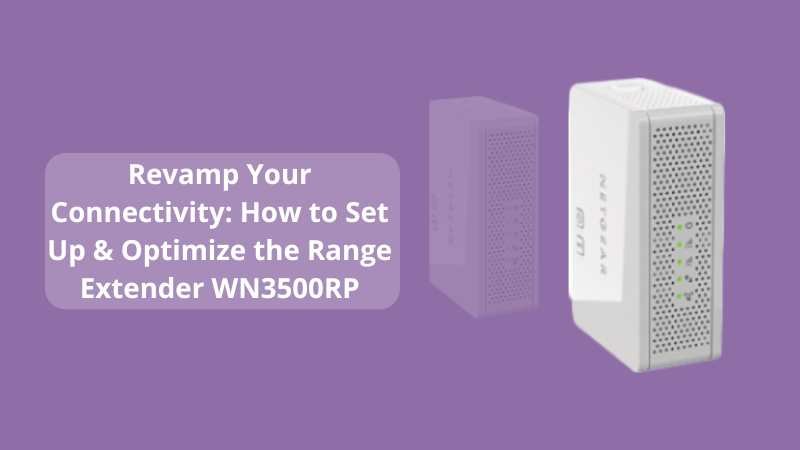
The Netgear WN3500RP is a dual-band WiFi range extender designed to eliminate WiFi dead zones by rebroadcasting your existing signal. Think of it as a relay runner—taking the WiFi from your router and carrying it further into the dark corners of your home.
Key Features of WN3500RP:
-
Dual-band 2.4GHz and 5GHz
-
FastLane™ technology for HD streaming
-
Ethernet port for wired connections (bonus for gamers!)
-
Wall-plug design—easy to place anywhere
“Your router lays the foundation, but a range extender like WN3500RP builds the bridge to rooms you thought WiFi forgot.”
How to Set Up the Range Extender WN3500RP (Step-by-Step Guide)
Setting it up doesn’t have to be rocket science. Here’s a simple process:
1. Plug It In
Place the WN3500RP halfway between your router and the area with a poor signal. Avoid thick walls or microwaves—it’s not a superhero.
2. Connect via WPS (Fastest Method)
-
Press the WPS button on your router.
-
Within 2 minutes, press the WPS button on your extender.
-
The WN3500RP should connect and clone your WiFi network. Easy peasy!
3. Browser Setup (Alternative)
If WPS doesn’t work:
-
Connect your phone/laptop to the extender’s default network (e.g., NETGEAR_EXT).
-
Open a browser and go to.
www.mywifiext.net -
Follow the on-screen steps to connect to your WiFi network.
4. Confirm Placement
Use the LED indicators to verify signal strength:
-
Green: Good
-
Amber: Fair
-
Red: Weak—move the extender closer to your router
5. Optimize
Enable FastLane™ for prioritizing high-speed performance over dual-band flexibility—perfect for gaming or streaming.
Tips to Optimize Your WN3500RP for Maximum Performance
Setting it up is just step one. Now, let’s make it fly.
✓ Choose the Right Location
Avoid corners, floors, or behind metal objects. WiFi is like sound—it travels best in open space.
✓ Update Firmware
Log in at www.mywifiext.net→ Settings → Firmware Update. Outdated software = lag and security issues.
✓ Name the Extended Network Differently
This helps identify whether you’re connected to the extender or the main router.
✓ Use Ethernet Port Wisely
Plug in smart TVs, desktops, or game consoles directly for lag-free performance.
When and Why You Should Use a Range Extender
Still wondering if the WN3500RP is right for you? Here’s a quick checklist.
Use a range extender if:
-
Your home has WiFi dead zones (bedrooms, basements, garages).
-
Your router is on one end of the house.
-
You experience frequent buffering while streaming.
-
You need coverage on a separate floor or garden area.
“Think of your extender as a satellite for your router. The better you align them, the stronger your connection.”
And if you’re looking for high-performance alternatives, check out our internal guide:
Boost Your WiFi Signal Like a Pro: EX6110 Setup Guide
Common Issues and Quick Fixes
Problem 1: Can’t accesswww.mywifiext.net?
Solution: Ensure you’re connected to the extender’s Wi-Fi. Clear the cache or try a different browser.
Problem 2: The Internet works on the router, not on the extender
Solution: Re-run the setup to ensure the correct WiFi password is entered.
Problem 3: Slow internet even after setup
Solution: Use FastLane™ and ensure firmware is updated.
Final Thoughts: Is the WN3500RP Worth It?
So, is the Range Extender WN3500RP the ultimate solution for dead zones and slow speeds? If you’re dealing with basic to medium coverage issues in your home or apartment, the answer is yes.
Its dual-band performance, FastLane™ technology, and easy setup make it a smart and budget-friendly fix for modern connectivity problems.
Still stuck? Visit www.wifi-extsetup.com for expert help and walkthroughs.
Or check out this power-packed guide: 👉 EX6110 Range Extender Optimization
FAQ: Netgear Range Extender WN3500RP
Q1: Does the WN3500RP work with any router?
Yes! It’s universally compatible with all standard routers and ISPs.
Q2: Can I use WN3500RP with just a modem (no router)?
No. It requires a wireless signal from a router to extend.
Q3: Is the 5 GHz band faster?
Yes, but it covers a shorter range. Use it for close-range devices needing high speed.
Q4: Can I use it for wired devices like a smart TV?
Absolutely. Plug your TV or gaming console into the Ethernet port for seamless performance.
Q5: How do I reset the extender?
Press and hold the reset button for 10 seconds until the LED lights flash.