
Introduction: Why Does Your Wi-Fi Disappear When You Need It Most?
Ever been in the middle of an important Zoom call only to have the Wi-Fi signal vanish? Or tried streaming your favorite series in the bedroom, and all you get is a frozen screen? You’re not alone if you’ve experienced Wi-Fi dead zones in your home or office. But more importantly, what’s the fix? How can you extend reliable, high-speed internet to every corner of your space without a tech degree?
Let’s discuss the Range Extender AC—AC-EX6150v2, a powerful device designed to amplify your internet connection and eliminate dead spots. This article will cover everything you need to know, from setup and performance to real-world use and benefits.
What Is the Range Extender AC – EX6150v2?
A Glimpse Into Its Power and Purpose
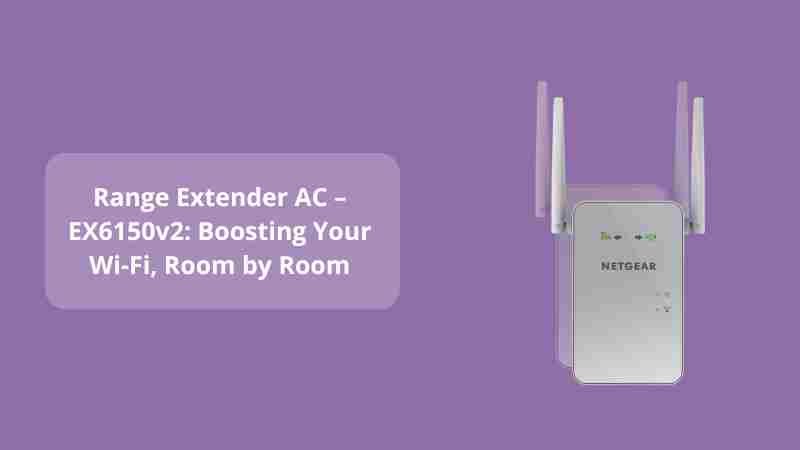
The Netgear EX6150v2 is a dual-band AC Wi-Fi range extender built to enhance your existing wireless signal. It operates on both 2.4GHz and 5GHz frequencies, delivering combined speeds up to 1200Mbps. That’s enough for HD streaming, online gaming, and handling multiple devices—all at the same time.
A reliable internet connection isn’t a luxury anymore—it’s a necessity.
This compact wall-plug design may look small, but don’t be fooled—it punches well above its weight. It’s ideal for medium to large homes, home offices, or even small businesses that demand consistent connectivity.
How Does the EX6150v2 Work?
Seamless Integration, Smart Performance
The EX6150v2 doesn’t replace your router—it partners with it. Think of it like a translator standing between two people speaking the same language but struggling to hear each other.
Here’s what happens:
-
The extender receives the Wi-Fi signal from your router.
-
It amplifies that signal.
-
Then, it rebroadcasts the stronger signal to areas where your router’s reach typically fades.
FastLane Technology uses both Wi-Fi bands to establish one super-speed connection—ideal for high-bandwidth activities.
Smart Connect and Ethernet Options
You’ll love the Smart Connect feature. It automatically directs your devices to the optimal band for speed and performance, without you lifting a finger.
And yes, there’s a Gigabit Ethernet port. So if you’re craving that hardwired speed for gaming consoles, PCs, or smart TVs, just plug and play.
Setting Up the EX6150v2: Easier Than You Think
Step-by-Step Simplicity
No tech jargon. No IT help desk. Just a few simple steps:
-
Plug the EX6150v2 into an outlet halfway between your router and the dead zone.
-
Press the WPS button on the extender and then on your router.
-
Wait for the LED to go solid green—that means you’re connected.
-
Want a manual setup? Use the Netgear installation assistant via any web browser by going to www.mywifiext.net.
“If you can set up a toaster, you can set up this range extender.”
You can also download the Netgear Nighthawk app for a more guided setup experience, network management, and firmware updates.
Why Choose EX6150v2 Over Other Extenders?
The Benefits That Matter
-
Dual-band AC1200 speeds: Say goodbye to buffering and lag.
-
Coverage up to 1,200 sq. ft.: Blankets large areas effortlessly.
-
Supports up to 20 devices: Phones, laptops, smart TVs, you name it.
-
Universal compatibility: Works with any router, regardless of brand.
-
Discreet Design: Wall-plug form keeps things clean and compact.
In essence, it’s not just a Wi-Fi booster—it’s peace of mind in a plug-in.
Real-World Use: Does It Deliver?
Performance You Can Count On
Imagine walking from your home office to your backyard without dropping your video call. That’s the kind of flexibility the EX6150v2 brings. Users report stronger signals in areas previously unreachable—garages, attics, even basements.
The EX6150v2 turned my house from a signal struggle zone into a streaming sanctuary – A satisfied user
Whether you’re a student attending online classes, a remote worker, or a family with multiple connected devices, this extender steps up without breaking a sweat.
Common Questions About the EX6150v2
Is It Secure?
Yes. It supports WPA/WPA2 wireless security protocols, keeping your network locked down.
Will It Work With My Old Router?
Absolutely. As long as your router broadcasts a Wi-Fi signal, the EX6150v2 can catch and boost it.
Does It Slow Down the Internet?3
Quite the opposite. With proper placement and FastLane configuration, it enhances your speed and stability.
Conclusion: Is It Worth the Investment?
Let’s circle back to those questions we asked earlier.
Why does your Wi-Fi vanish when you need it most?
Because standard routers have their limits. But with the Range Extender AC – AC-EX6150v2, those limits disappear.
Do you need to be a tech expert to fix it?
Nope. Setup is plug-and-play, and management is seamless.
Looking for a simple, cost-effective way to make your internet life better?
This device is your answer.
Whether you’re tired of laggy video calls, slow downloads, or Wi-Fi dead zones, it’s time to upgrade your connectivity. The EX6150v2 offers the reliability, speed, and coverage modern homes demand.
Need Help With Setup?
Visit: WiFi-ExtSetup.com for easy guidance, expert tips, and dedicated support.
For more in-depth guides, check out this related post:
🔗 Range Extender AC EX6000: The Ultimate Fix for Wi-Fi Dead Zones
“Your Wi-Fi should follow you—not the other way around.”
So go ahead—plug it in, power it up, and say goodbye to weak signals for good.